
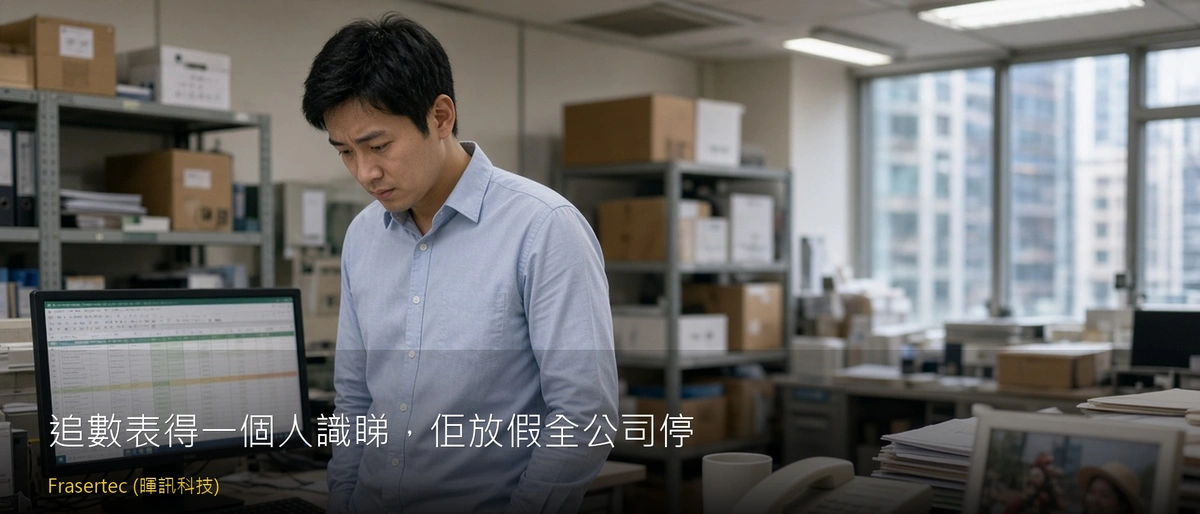
It is 3 PM on a Wednesday. A major wholesale client calls: “We issued that cheque last month. When are you banking it, and did you deduct those damaged cartons?” The colleague covering the phone opens the shared drive and finds a file called “AR_2026_Yee.xlsx”. Inside are a dozen tabs covered in red, yellow, and green highlights, with cryptic cell notes like “Ken ok” and “held”. Which invoices are actually overdue, and which were paid but not yet reconciled? Only Yee knows, and she is away in Taiwan for five days. The boss walks past and asks, “Which accounts are over 60 days?” The room goes silent. Nobody dares touch the workbook for fear of breaking a formula before Yee returns.
Invoice due dates and collection statuses belong in a central, standardized system, not locked inside personal spreadsheet shorthand; human judgment is for negotiating payment arrangements with customers.
Why Personal AR Trackers Always Fail
Color codes and shorthand that only one person understands
Everyone has their own Excel logic: yellow might mean “call back tomorrow,” while red means “the boss said hold off.” None of this is documented. When a colleague covers the phone and a client asks for their balance or cheque clearance status, they cannot confirm the figures. They are forced to say, “Let me check with my colleague when she returns next week,” delaying cash collection unnecessarily.
Fear of corrupting formulas prevents real-time updates
Core collection trackers on shared drives are often overloaded with brittle formulas and cross-tab links. When other staff receive bank deposit slips or payment confirmation screenshots via WhatsApp, they hesitate to edit the file. Instead, payment slips pile up on Yee’s desk “until she gets back.” Management assumes overdue balances are outstanding when the client paid days ago.
Handover becomes a guessing game during staff turnover
When a credit control clerk resigns, a two-week handover cannot unravel months of context across hundreds of invoices. The incoming clerk often restarts chasing from scratch, mistakenly harassing long-standing clients who have agreed special terms while missing genuinely critical overdue accounts.
The Usual Quick Fix: Writing Cheat Sheets or Shadowing
Management often responds by asking staff to write detailed SOPs, maintain a simplified duplicate sheet, or have a junior clerk sit beside the specialist to learn the color codes. However, as invoice volume scales, maintaining two spreadsheets becomes impossible. The simplified sheet falls out of date, the backup clerk forgets edge cases, and the structural dependency remains.
How Accounts Receivable Automation Works
With workflow automation from Frasertec Limited, businesses centralize invoice tracking and follow-up statuses without replacing their existing accounting software. The system automatically tracks due dates and standardizes status visibility, ensuring human staff handle customer conversations and concessions with complete data clarity.
Invoice Data Sync and Due Date Scheduling
When an invoice is issued, the system calculates due dates against client payment terms automatically, eliminating manual transcription into standalone spreadsheets.
Unified Status Dashboard and Role-Based Access
Standardized status stages—pending payment, promised payment date, or disputed adjustment—are updated centrally. Any authorized team member can inspect the file and provide clear answers instantly.
Internal Reminders with Controlled Human Follow-Up
The system triggers internal alerts before or upon invoice maturity. Phone calls, WhatsApp messages, and commercial negotiations remain entirely in human hands.
Three Steps to Implementation
Consolidate Current Chasing Rules and Exceptions
Review current spreadsheet formats and document standard statuses, such as month-end commitments, pending cheques, or credit note reconciliations.
30-Minute Operational Alignment
Review invoicing and payment verification workflows during a 30-minute consultation to identify how automated triggers integrate with existing tools without changing accounting platforms.
Single AR Flow Proof of Concept
Deliver a pilot covering invoice maturity to internal notification within two to four weeks, ensuring cross-functional visibility before expanding scope.
Build a Transparent, Transferable Collections Workflow
Remove single-person bottlenecks and give your operations team real-time visibility over outstanding cash flow. Frasertec Limited provides a 30-minute consultation to assess your AR follow-up workflow.
Book a Discovery SessionWhatsApp 852 25788828Frequently Asked Questions
Do we need to replace our accounting software to automate follow-ups?
No. The automation sits between your current accounting tool and internal communications channels. Invoices remain in your accounting ledger, while due-date alerts and follow-up milestones synchronize to a shared dashboard, avoiding the cost and disruption of software migration.
Will the system send automated dunning emails directly to key clients?
No. The workflow generates internal notifications for your credit control team. Tone, relationship handling, and commercial concessions remain under direct human management.
Previous: The Goods Have Shipped, but the Invoice and PO Still Do Not Match